
Units and base price
Create sales units (piece, carton …) with a UN/ECE code for e-invoicing and units of measure for the base price under the PAngV, and assign them to items.
allverto distinguishes two kinds of units:
- Sales units – the unit you sell in, e.g. piece, carton, pair. Their abbreviation appears on documents, receipts and pick lists.
- Units of measure – for the content of a pack, e.g. g, kg, ml, l. allverto uses them to calculate the base price.
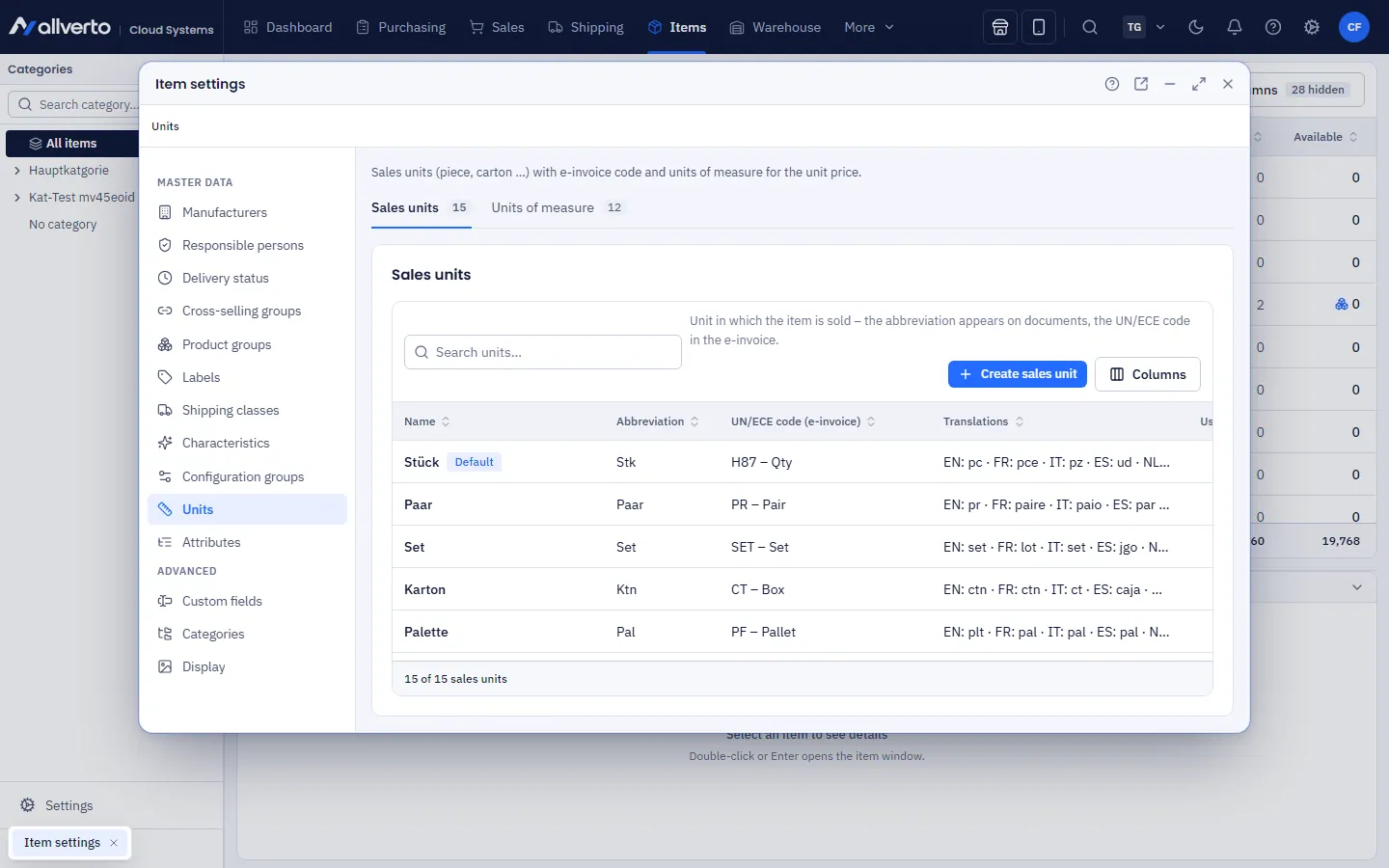
Sales units
Under Items → Settings → Units, Sales units tab:
| Field | Meaning |
|---|---|
| Name, abbreviation | e.g. "Carton" / "ctn". The abbreviation appears on documents. |
| UN/ECE code | Unit code for XRechnung/ZUGFeRD, e.g. CT for carton, H87 for piece |
| Translations | Name and abbreviation for documents in other languages (English, French, Italian, Spanish, Dutch, Polish) |
| Default | Exactly one unit is the default – new items get it. Row menu: Set as default |
| Active | Inactive units are no longer available for selection in the item. |
A unit can only be deleted if no item uses it – otherwise allverto shows how many items it is assigned to.
Units of measure and base price
Units of measure tab:
| Field | Meaning |
|---|---|
| Name, abbreviation | e.g. "Gram" / "g" |
| Dimension | Weight, volume, length, area or piece |
| Conversion factor | Factor to the base unit (kg, l, m, m², pc), e.g. 1 g = 0.001 kg |
| Reference unit and reference quantity | What the base price refers to, e.g. "per 1 kg" or "per 100 g" |
| UN/ECE code | Code for the e-invoice |
Base price = price ÷ content (in reference unit) × reference quantity. Example: 250 g of coffee for €6.00 → €24.00 per 1 kg. If the reference quantity deviates from the usual (e.g. 100 g), the settings point you to the German Price Indication Ordinance (PAngV).
In the item
In the item window, General tab, you choose the Unit (sales unit) and enter the quantity and unit of measure under Content, e.g. "250" and "g". The base price is calculated from this.
For many items: select them in the item list → right-click → Set unit.
On documents
Invoices, delivery notes and quotes take the abbreviation of the sales unit for each line, and the UN/ECE code in the e-invoice (e.g. carton → CT). If the document language is not German, the translated abbreviation is shown.