
Description, translations and SEO
GuideNewLast checked on 15/10/2026
Format the short description and description with the text editor – headings, lists, tables, links and images –, maintain translations and set SEO details.
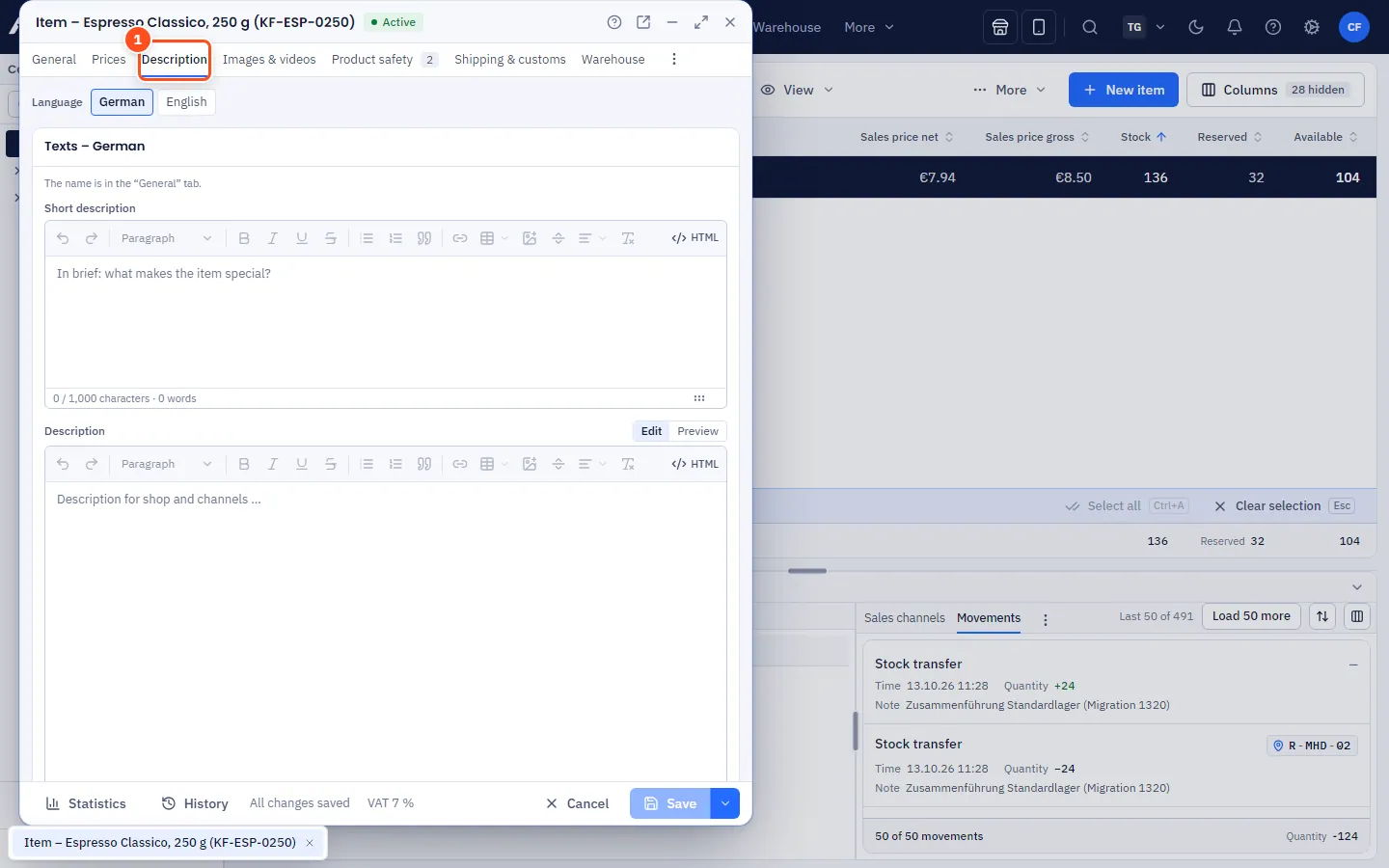
In the Description tab of the item window you write the Short description and the detailed Description – per language – and maintain the details for search engines. You format both texts with an editor like in a word processor.
Step by step
- Open the item and the Description tab.
- Choose the Language at the top (German is the main language, others are for translations). Which languages appear here is set under Gear icon → Taxes & language (see below).
- Write the Short description (e.g. for lists and previews) and the Description.
- Format the text with the toolbar (see below).
- Under Search engines (SEO), enter the SEO title (up to 60 characters recommended) and the SEO description (up to 160 characters) – the counters show where you are.
- Save with Ctrl+S.
The toolbar
| Button | Effect |
|---|---|
| Undo, Redo | also Ctrl+Z / Ctrl+Y |
| Paragraph format | Paragraph or heading (levels 2 to 4) |
| Bold, Italic, Underline, Strikethrough | also Ctrl+B, Ctrl+I, Ctrl+U |
| Bulleted list, Numbered list, Quote | Lists and highlighted paragraphs |
| Link | Enter an address or email, optionally Open in new tab; also Ctrl+K |
| Table | Insert table (3 × 3), insert or delete rows and columns, Toggle header row, Merge/split cells, Delete table |
| Insert image | Choose an item image or enter an image address, with alt text ("What does the image show?") |
| Horizontal line | Horizontal rule |
| Alignment | Align left, Centre, Align right, Justify |
| Clear formatting | Makes the selected text plain again |
| HTML | Edit HTML source or Back to text view |
Setting up and extending languages
The language tabs follow your company's Languages for item texts. Under Gear icon → Taxes & language, in the Languages for item texts section, you select additional languages (e.g. Czech, Danish or Swedish) or hide ones you don't need – details in Taxes & language. The same languages apply to category texts, safety information and characteristic translations.
- Hidden languages don't lose any texts: the translations stay saved and reappear when you activate the language again.
- Empty translations fall back to the German text.
Good to know
- Counters: characters and words are shown below the editor. The short description warns from 1,000 characters. In HTML mode, allverto counts the HTML characters.
- Pasting from Word or web pages: formatting is cleaned up when pasting. Anything not allowed (scripts, embedded third-party content, colours, fonts) is removed.
- Images in the text must have an internet address (no embedded image data). The easiest way is to choose an item image from the Images & videos tab.
- Older descriptions (plain text) are converted automatically by allverto when opened; they are stored the next time you save.
- In the item list and the search, only the plain text without formatting counts.