
Attributes and function attributes
Attributes as name/value pairs for shops and marketplaces – defined centrally with value type, language and channel; plus allverto's function attributes such as google_kategorie.
Attributes are freely named details on an item – as in JTL-Wawi. Examples: a shop attribute "Care instructions" or the function attribute google_kategorie for Google Shopping. Each attribute has a definition with a value type; this keeps spelling and values consistent.
Defining attributes
Under Items → Settings → Attributes you see all definitions. The All / Attributes / Function attributes toggle filters the list.
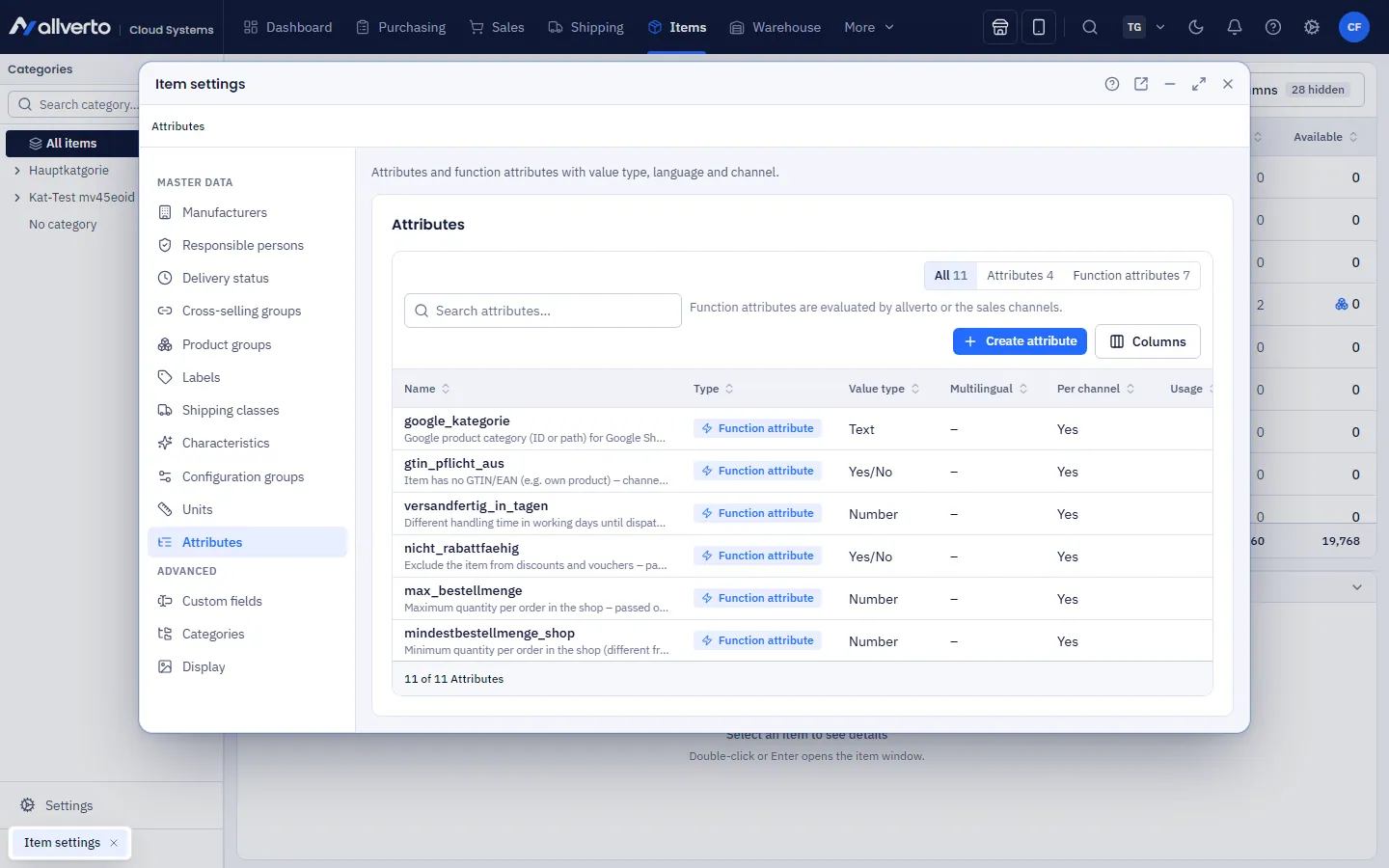
- Click Create attribute.
- Enter the Name (e.g. "Care instructions") and optionally a description.
- Choose the Value type: text, number, yes/no or selection (with fixed selection values).
- Multilingual – maintain values per language. Per channel – allow separate values for individual sales channels.
- Optional: Sort order and Active. Save.
You can also create attributes directly in the item window (see below). allverto rejects changes that would make existing values invalid (e.g. changing the value type from text to number). If you delete an attribute that items use, it is removed from all items after a confirmation.
allverto's function attributes
Function attributes have a fixed meaning. Name, kind, value type and description are predefined; you can't delete them, only deactivate them. They apply per channel and are passed to the sales channels as soon as their item export is available.
| Function attribute | Value type | Meaning |
|---|---|---|
google_kategorie | Text | Google product category (ID or path) for Google Shopping and price comparison sites |
gtin_pflicht_aus | Yes/no | Item has no GTIN/EAN (e.g. own product) – channels report "no identifier" instead of an error |
versandfertig_in_tagen | Number | Different handling time in working days until shipping |
nicht_rabattfaehig | Yes/no | Exclude item from discounts and vouchers |
max_bestellmenge | Number | Maximum quantity per order in the shop |
mindestbestellmenge_shop | Number | Minimum quantity per order in the shop |
sichtbarkeit_kundengruppe | Text | Only visible to these customer groups (names, separated by commas) |
Attributes on the item
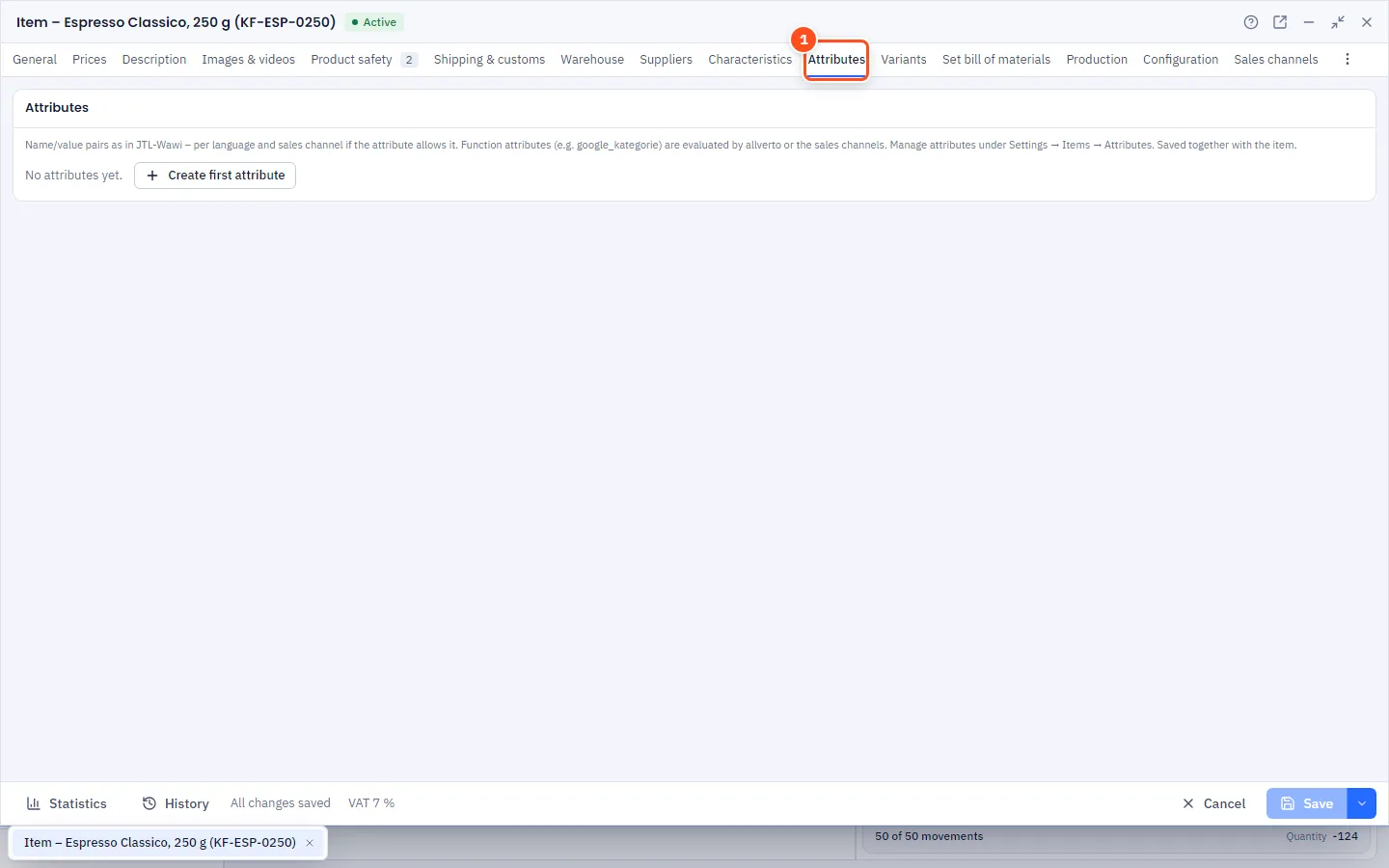
- Open the item, Attributes tab.
- Click into the Attribute selection: search field at the top, below it the groups "Attributes" and "Function attributes" with descriptions. If the attribute doesn't exist yet, choose New attribute "…" (with write permission).
- Enter the Value according to the value type. Numbers with a decimal comma ("12,5"), yes/no via selection, selection attributes from the list.
- For multilingual attributes choose the Language, for "per channel" the Channel (otherwise "All channels").
- Change the order with Move up/Move down; via the row menu also Duplicate for another language or Remove.
- Save with Ctrl+S. allverto flags duplicate entries while you type.
For many items at once
Select several items in the item list → right-click → Set/remove attribute…. Choose the attribute and enter the value, or remove it from all selected items.
Frequently asked questions
Attribute, characteristic or custom field?
Characteristics have fixed values and serve as filters. Attributes are name/value pairs for shops and marketplaces. Custom fields are additional input fields for your own administration.
Are attributes carried over from JTL-Wawi?
Yes, the JTL migration imports attributes and creates matching definitions. The attribute names are missing from the Wawi API – jtl-bridge adds them from the database.